
Why Is My Prepaid Meter Rejecting My Token? (KPLC Guide & Easy Fixes)
A Complete Guide to Fix Token Rejection, Connection Failed Errors, and Meter Resetting
Kenya Power (KPLC) prepaid meters are designed to make electricity billing simple—but sometimes customers face the dreaded:
“Token Rejected”, “Connection Failed”, “Meter Not Accepting Token”, or “Token Not Working” errors.
This guide explains why your prepaid meter is rejecting tokens, how to fix KPLC token errors, how to reset any prepaid meter, and what to do if your meter still won’t accept tokens.
What Causes a Prepaid Meter to Reject Tokens? (Main Reasons)
1. Wrong Meter Number Linked to Your Account
If the meter number on your token is different from the physical meter number, your meter will always reject it.
This often happens due to:
-
Moving to a new house
-
Wrong meter assignment in KPLC system
-
Typing errors during registration
Solution:
Dial *975# → My Meter → Confirm Meter Number or check your last token SMS.
2. Token Already Used or Duplicated
If you try to load a token more than once, you’ll get a “Token Rejected” message.
Solution:
Enter the token only once. If unsure, dial *977# → Prepaid Services → Token History.
3. Meter Memory Is Full (Very Common)
KPLC prepaid meters have a memory limit.
If you haven’t loaded tokens for a long time, or if many token sequences pile up, the meter can freeze or reject new tokens.
Solution:
Perform a reset (guide below).
4. Communication Breakdown: “Connection Failed” Error
Causes include:
-
Weak signal between CIU (the small keypad) and the meter
-
Low battery in CIU
-
Faulty CIU cable
-
Tripped breakers

Solution:
-
Bring CIU closer to the meter
-
Plug CIU to power
-
Restart by unplugging and plugging back
-
Check all circuit breakers are ON
5. Firmware Update Required (New EUCL or KPLC Codes)
Sometimes KPLC updates their system and your meter needs an update code before new tokens can load.
Signs:
-
Meter rejecting all tokens
-
Token stuck at “Processing…”
-
Message: “Invalid Token”
Solution:
Call KPLC and request a metre update code.
6. Incorrect Token Order (For Multi-Part Tokens)
Some meters require multiple tokens (like Power Fix Token, Tariff Update Token, Recharge Token) in a specific order.
Wrong sequence = token rejected.
7. Faulty Meter or CIU
If your meter is physically damaged or has internal failure, tokens will be rejected.
Solution:
KPLC must replace or repair the meter.
Our Products
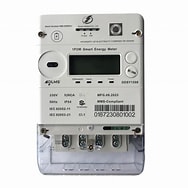
3 Phase Prepaid Meter in Nairobi – Smart Power Meter for Commercial & Industrial Use
Original price was: KSh 20,000.00.KSh 17,500.00Current price is: KSh 17,500.00.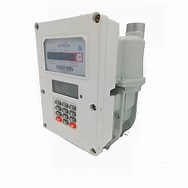
Gas Prepaid Meter in Kenya | Smart Prepaid Gas Metering System
Original price was: KSh 20,000.00.KSh 17,500.00Current price is: KSh 17,500.00.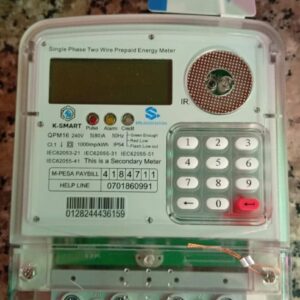
Integrated Electric Prepaid Meter in Nairobi – Affordable Token Meter Solution
Original price was: KSh 6,500.00.KSh 5,000.00Current price is: KSh 5,000.00.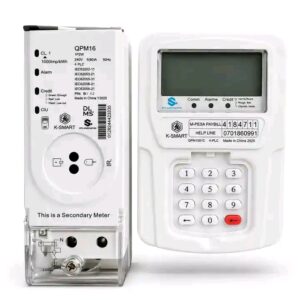
Split Prepaid Sub Meter in Nairobi – Token Meter for Rentals
Original price was: KSh 8,500.00.KSh 7,000.00Current price is: KSh 7,000.00.
Water Prepaid Meter in Nairobi – Smart Water Token Meter Solution
Original price was: KSh 13,000.00.KSh 11,500.00Current price is: KSh 11,500.00.How to Fix KPLC Token Rejection: Step-by-Step Solutions
1. Verify the Meter Number
Dial:
** 977# → Prepaid Services → Meter Management → Confirm Meter Number*
Or compare with the meter sticker physically.
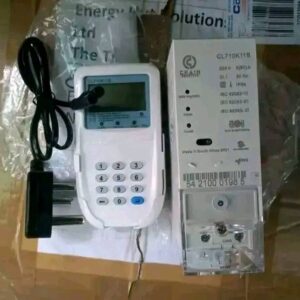
2. Restart or Reset the Prepaid Meter (Most Effective Fix)
How to Reset ANY KPLC Prepaid Meter
Try these in order:
Method 1 – Basic Reset
-
Switch OFF the main switch.
-
Wait 10–20 seconds.
-
Switch ON again.
-
Enter your token slowly.
Method 2 – CIU Reset
-
Unplug the keypad (CIU).
-
Remove batteries (if any).
-
Wait 1 minute.
-
Plug back and reconnect.
Method 3 – Hard Reset (For Common Meters)
Conlog Meters:
Press #, then enter the token.
Hexing Meters:
Press “Backspace/Clear”, then retry token.
Actaris Meters:
Press 12345678 then Enter (if supported).
If unsure, try entering 0000, 999, or Reset (varies by model).
3. Fix “KPLC Token Connection Failed” Error
Try the following:
-
Move CIU near the door or window
-
Move CIU closer to the meter (within 3–5 metres)
-
Plug CIU directly to power
-
Check if MCB (main breaker) is ON
-
Restart both meter and CIU
4. Request a Meter Update Code (If Meter Needs Firmware Update)
Contact KPLC via:
-
Call 97771
-
Nearest KPLC Office
Ask them for:
“Meter update token”
It comes in 20–40 digit sets you must load before new tokens.
5. Check If the Token Was Used Before
Dial:
** 977# → Prepaid → Token History*
If it appears in history, it’s already used.
6. If All Fails: Request a Meter Reset from KPLC
If the meter is faulty, only KPLC can reset or replace it.
How to Reset KPLC Token Meter Online
As of now, KPLC does not offer a direct online reset.
But you can:
-
Request reset through KPLC Twitter DM
-
Use MyPower App to lodge complaint
-
Call customer care for remote reset
Why My Token Is Rejecting Prepaid Meter? (Simple Answer)
Your token is rejecting because the meter number is wrong, the meter needs a reset, the CIU has no connection, the token is already used, or the meter needs an update.
Common Problems Today (Live Issues)
Many users search:
-
KPLC connection failed today
These happen during:
-
Network outages
-
Server delays
-
System upgrades
-
Token synchronization issues
Often, waiting 10–30 minutes fixes it automatically.
Frequently Asked Questions (FAQ)
1. How do I reset a KPLC token meter?
Switch off the main switch → wait 20 sec → switch on → re-enter token.
2. What do I do if meter says “Connection Failed”?
Move CIU closer to meter, plug it in, restart it.
3. Why is my token rejecting electricity?
Because the meter rejected the recharge code due to error, wrong meter, or system issue.
4. Why is my prepaid meter rejecting my token?
Faulty CIU, wrong meter number, meter error, or needed update.
Conclusion
If your KPLC prepaid meter is rejecting your token, don’t panic.
Most issues—memory full, CIU connection, wrong meter number, or meter needing update—are easy to fix with the steps above.
If nothing works, contact KPLC for a remote reset or meter replacement.


2 comments
Alice
Hello, ive paid token worth 1000 to metre 92111829666 but i am not receiving kplc 20 digit code. Ive tried retrieving using *977# and there is no recent message. Please assist
AdminAuthor
Hello,
Thank you for reaching out. We’re sorry you’re experiencing this issue.
If you’ve purchased KPLC tokens but haven’t received the 20-digit token code via SMS, you can retrieve it yourself through the KPLC Self-Service Portal.
Please visit: https://selfservice.kplc.co.ke/public/
Once there, select the Token Retrieval option and enter your meter number (92111829666) along with the required details to retrieve your token.
If you’re still unable to retrieve the token after following these steps, please let us know or contact KPLC Customer Care for further assistance.
Thank you.